
This article introduces the concept of AI workflows — series of automated tasks that chain multiple AI tools together to complete repeatable processes in software development. The author explains key terminology like AI models, AI tools, and workflow orchestrators, using AWS Lambda-based TypeScript examples to illustrate how tools like Claude and Cursor can be coordinated for tasks such as automated code review and documentation generation.
A central concern is the problem of constant prompting, where providing unclear or insufficient input to AI models leads to compounded errors that degrade output quality across workflow steps. The article advocates for designing workflows with clear goals, selecting appropriate AI tools, and implementing validation checkpoints between steps. A commenter reinforces the importance of repeatability and auditability, noting that without validation points between tools, downstream steps simply inherit confident mistakes.
The article is transparently AI-generated using Groq (LLaMA 3.3 70B) and remains fairly high-level, offering conceptual best practices rather than deeply technical implementation guidance. The code examples demonstrate orchestration patterns but are simplified illustrations rather than production-ready solutions.

Greg Isenberg argues that marketing engineers — hybrid marketers who can also build and wire AI agents — are the most valuable new role in business. He traces the evolution from Mad Men-era gut-feel campaigns through digital marketing, growth hacking, and AI-assisted copywriting to this new paradigm where one person can run dozens of experiments per day by connecting AI agents to real customer data. The core thesis: the cost of marketing experiments has collapsed, and whoever runs the most good experiments learns fastest and wins.
The article provides a detailed eight-step playbook for building a marketing engineer's system. It starts with setting up an agent workspace (Claude Code, Cursor, Codex) and writing a "brain" — a structured folder of context files covering customer profiles, brand voice, founder opinions, and past failures. From there, it walks through connecting data sources (CRM, support tickets, call recordings), building a customer language agent that extracts exact phrases from sales calls, and then layering on five more agents: buying trigger detection, search/content, creative ad generation, closed-lost deal recovery, and performance analysis.
Isenberg emphasizes that creative is the new targeting on platforms like Meta, where the Andromeda algorithm reads ad content to determine audience matching, making diverse creative concepts more important than interest targeting. He advocates using AI-generated UGC actors to test scripts cheaply, then paying real creators for winners. The piece also covers organic social as a free testing lab, building decision tools (calculators, migration checkers) as marketing assets, and running a weekly review loop where the marketer's job shifts from production to editing and judgment. The recommended stack spans tools like Clay, HubSpot, Nano Banana, Veo, Arcads, and PostHog, with the prediction that by 2028, one or two marketing engineers with dozens of agents will outship departments ten times their size.

AgentMail is an email inbox API designed specifically for AI agents, functioning as a programmatic equivalent of Gmail but built for non-human users. The platform allows developers to provision dedicated, persistent email inboxes for AI agents with a single API call, enabling two-way email conversations with threading, attachments, real-time webhooks, and semantic search. The company recently raised $6M in seed funding backed by Y Combinator and positions itself distinctly from transactional email services like SendGrid or Mailgun by treating the inbox — not just sending — as its core primitive.
Key use cases include enabling browser automation agents to extract 2FA verification codes, building executive assistant agents that manage calendars and scheduling via email, parsing document attachments like invoices, and routing customer service emails to appropriate AI handlers. The platform supports multi-tenancy at scale, with one customer (CarEdge) running over 25,000 inboxes handling millions of messages. AgentMail also offers a companion product called AgentID, described as a "sign-in button for AI agents."
The service provides SDKs for Python, TypeScript, and CLI access, along with MCP integration and compatibility with popular AI agent tools including Claude Code, Cursor, Codex, and Grok. A free tier offers 3 inboxes and 3,000 emails per month. The company emphasizes that giving agents their own email identity creates a stable, verifiable address for signing up for services, receiving verifications, and maintaining audit trails separate from human accounts.

Shortwave is an AI-powered email client built by ex-Googlers that aims to replace and improve upon the traditional Gmail experience. The product centers on an AI agent that can organize inboxes, write emails in the user's voice, search across team emails and attachments, schedule calendar events, and automate workflows through integrations with tools like Slack, Notion, Asana, and HubSpot. Users can create custom AI filters written in plain English to automatically label, star, and archive messages, and the platform offers autocomplete suggestions drawn from email history.
Beyond AI features, Shortwave provides a suite of productivity tools including split inbox tabs, email bundling for bulk triage, delivery scheduling, read receipts, link tracking, and comprehensive keyboard shortcuts. For teams, the platform supports real-time collaboration with shared threads, private commenting, task assignment, shared labels, and shared prompts. The product also integrates with a sister product called Tasklet for 24/7 workflow automation, enabling automatic reply drafting and connections to over 3,000 apps.
Shortwave is available across iOS, Android, Mac, and Windows, and meets CASA Tier 2 compliance for enterprise security. The product has garnered attention from publications like the New York Times and The Verge, and counts professionals from companies like Foursquare, Y Combinator, and Twilio among its users.
A Reddit user in r/AI_Agents asks the community for real-world examples of AI agents in use, noting that most content online consists of tutorials rather than practical, lived experiences. The thread generates a rich set of responses from practitioners who share their actual implementations, ranging from personal assistant agents handling calendar management, email summarization, and meeting prep, to more specialized workflows like automated job application filtering, SEO content pipelines, and school email monitoring.
Several standout examples emerge: one user built a voice-driven AI assistant for a CEO that handles messaging, email drafting, meeting context retrieval, and automated booking. Another describes a multi-workflow system using Telegram that plans trips, searches LinkedIn jobs with automated cover letter generation, drafts SEO-optimized articles using Perplexity, Claude, and ChatGPT in sequence, and monitors school communications. A developer details an automated code review orchestrator using Gemini models that fetches pull requests, builds context via AST trees, and identifies logical and security bugs.
The thread also surfaces practical realities: one commenter notes that building agents is easy but monetizing them is hard, with 98% of agent businesses struggling to find paying customers. Another points out that government contracts largely prohibit these tools on state IT networks. Most implementations described run on platforms like N8N and integrate with tools like Google Docs, Sheets, Telegram, and Zapier, emphasizing that the most valuable agents aren't flashy multi-agent systems but quiet productivity tools that eliminate repetitive admin work.
Stanford HAI shares a key insight about effective AI deployment: the strongest systems are those that optimize human-AI collaboration rather than defaulting to full automation. The post emphasizes that AI systems should be designed with the ability to determine when to act autonomously, when to defer to human judgment, and how to communicate uncertainty effectively. This principle positions human oversight not as a limitation but as a core design feature for reliable AI deployment.
Daria Cupareanu describes how she built a personal AI assistant that operates 24/7 through Telegram, handling tasks like calendar management, email drafting, web searches, idea capture, and document organization — all from a single message. The system is powered by n8n (a workflow automation platform), the OpenAI API, and integrations with Google Cloud services, Notion, and SerpAPI. Two n8n workflows drive the architecture: one for real-time request handling and another for processing and organizing ideas in Notion. A custom "mega-prompt" gives the AI agent the context to interpret requests and route them to the appropriate service.
The author breaks down the cost at roughly $23/month — $20 for n8n's cloud subscription plus approximately $2.64 in OpenAI credits for around 300 tasks — and contrasts this with hiring a human assistant. She reports saving approximately 4 hours of admin time per week, capturing 24 ideas that would have otherwise been lost, and significantly reducing mental overhead from context-switching between apps. The post is structured as a step-by-step tutorial, though the full implementation guide (including workflow JSON files, connection guides, and the AI agent prompt) is gated behind a paid Substack subscription.
This article from Higher Landing identifies the ten white-collar roles most exposed to AI disruption in 2026, drawing on over 400 sources including research from Goldman Sachs, the World Economic Forum, PwC, and the Anthropic Economic Index. The roles ranked highest in risk include software engineers, accountants, lawyers, data scientists, and business analysts, all of which share a reliance on structured, repeatable cognitive tasks that AI now handles efficiently. The article frames the current shift not as a "replacement event" but a "repricing event" — where professionals anchored to task execution face wage compression while those with AI skills command a 56% wage premium over peers in the same roles.
A key distinction runs throughout the analysis: junior and execution-focused professionals are most exposed, while those whose value lies in judgment, strategy, relationships, and commercial accountability are augmented rather than replaced by AI. The article concludes with five recommended career shifts — including moving from task execution to outcome ownership, building AI-integrated workflows, developing cross-functional skills, pursuing market-facing roles, and leaning into the "Human 30%" of work that AI cannot replicate, such as ethical reasoning, trust-building, and strategic problem framing. The piece serves as both a diagnostic tool for professionals assessing their exposure and a call to action for proactive repositioning.

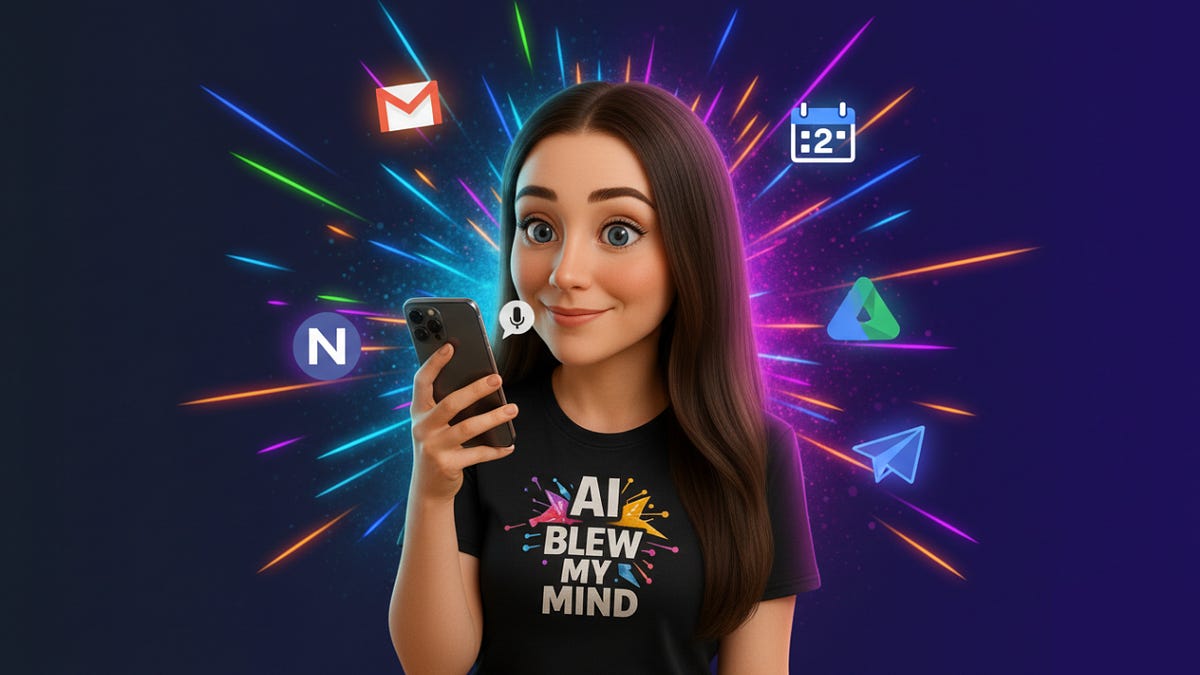
Greg Isenberg lays out a detailed playbook for what he calls AI roll-ups — acquiring small, boring service businesses from retiring baby boomers and using AI agents to dramatically increase profit margins. He argues that roughly $5 trillion worth of American businesses will change hands by 2035, mostly small firms in industries like accounting, property management, insurance, and IT services. The core thesis: buy these businesses at low multiples based on their current ~10% EBITDA margins, then rebuild the back office with AI agents to push margins to 30-40%, effectively tripling the value of the acquisition without changing the client base or revenue.
Isenberg highlights real examples including Thrive Holdings (which bought nearly 50 accounting practices and committed $1 billion more), General Catalyst ($1.5 billion allocated to this strategy), and Long Lake Property Management ($100M EBITDA in under two years). He emphasizes that this opportunity is especially accessible to solo founders and small operators, since the big funds can't economically pursue the vast majority of these sub-$2M businesses, and the AI tools (like OpenAI Codex and Claude Code) are available to anyone.
The guide goes deep into practical execution: a folder structure for the holding company, specific agent architectures separating preparers from reviewers, a scoring rubric for evaluating targets, a 100-day integration plan, and a weekly dashboard tracking five key metrics. He also covers what breaks — key people leaving, automating trust away, buying faster than you can integrate — and stresses that the relationship side of the business must stay human while the back office gets automated.
A Stanford Institute for Economic Policy Research (SIEPR) policy brief from July 2026 examines the real-world impact of AI on the labor market, cutting through sensationalized predictions of an "AI jobs apocalypse." The authors — Neale Mahoney, Erika McEntarfer, and Karsen Wahal — synthesize a growing body of research into five key findings: AI's impact on aggregate employment remains small, with unemployment rising no faster in AI-exposed occupations than in others. However, recent graduates face a notably tougher job market, with entry-level hiring declining in AI-exposed roles like software development and customer service, though disentangling AI's role from rising interest rates and post-pandemic corrections remains empirically challenging.
On productivity, experimental evidence shows generative AI tools generally improve worker speed and output, with gains disproportionately benefiting less-experienced and lower-performing workers — a 30% productivity boost for novice call center agents, for example. Yet the authors caution that AI's capabilities are "jagged," sometimes harming outcomes when workers lack the judgment to evaluate AI-generated advice. Creative diversity also suffers, as AI-assisted output tends toward homogeneity. Firm adoption is accelerating but remains uneven, with conservative Census estimates placing adoption around 20% of firms, mostly concentrated in tech and information-intensive sectors, and many companies still in experimentation phases.
The brief concludes by drawing a parallel to the delayed productivity gains from the PC revolution of the 1980s, noting that transformative technologies typically take years or decades to reshape labor markets. The authors stress that while current evidence does not support imminent mass displacement, the situation is evolving rapidly, and policymakers should prepare for a range of outcomes as AI capabilities and adoption continue to advance.
Nate Herk distills 5,000 hours of building with AI into 12 practical lessons, arguing that the real edge isn't about memorizing prompts or mastering a specific tool — it's about turning experience into context, managing AI like an employee, and tying every project to a measurable business outcome. He emphasizes collecting "receipts" (documented before-and-after results) over demo builds, staying tool-agnostic by focusing on transferable skills like problem decomposition and clear communication, and making AI your default starting point even when it only handles 25% of the work.
Several lessons focus on operational discipline for AI agents: building verification loops so agents prove their own work, restricting tool access rather than relying on prompt-level instructions (citing a real incident where an agent emailed 150,000 people unsolicited), and running evals against golden datasets before deploying agents to real customers. On the business strategy side, Herk advises finding the actual constraint — the "clog or leak" in the business pipeline — before building anything, assigning each project a single North Star metric, and routing tasks to the cheapest model capable of handling them to control token costs. The final lesson encourages practitioners to do the work before waiting for a title or permission, automating real tasks and documenting results to build credibility organically.
Eric Siu, founder of Single Grain, describes how his agency built a "Single Company Brain" — an AI-powered intelligence layer that sits between scattered company knowledge (Slack, Gong, CRM, SOPs) and the actual work teams need to do. The key insight is that simply storing more data doesn't help; their early approach of giving agents more memory actually backfired, with persistent memory files consuming 40% of the context window and making the system operationally messier despite being technically smarter.
The solution is a five-layer architecture: Capture (raw data from calls, CRM, SOPs), Retrieval (surfacing only the 6 or so pieces of context relevant to a specific task), Source Truth (establishing which source wins when information conflicts), Permissions (ensuring agents only access what's appropriate for their workflow), and Feedback Loops (converting every human correction into a permanent rule). At Single Grain, this system processes 500K+ tokens of persistent memory, runs 90+ daily crons, and has turned 2,862 Gong call transcripts into operational playbooks — with a single daily ingestion of 15 calls producing 390 insights, 470 facts, and 125 frameworks.
Siu argues the real competitive advantage isn't having the biggest prompt library but having the cleanest intelligence layer. He provides a practical audit framework: pick one recurring workflow, then answer six questions about its sources, trust hierarchy, required context, restricted context, repeated corrections, and how corrections become rules. The result is a system that compounds over time — making the company "harder to forget, faster to teach, and easier to operate."

Barry O'Reilly shares his personal journey from burnout and overwhelm to building an AI-powered productivity system that transformed how he works as a leader. Drawing from nearly a decade of experimentation—starting with tools like Rev.com for dictating his book and Otter.ai for meeting notes—he describes how he systematically identified tasks to offload and automate, ultimately reclaiming hours each week for strategic thinking and deep work.
The article presents findings from a survey of over 5,000 leaders, revealing that 72% don't know where to start with AI, 61% lack a clear AI strategy, yet 92% believe AI could significantly boost their productivity. O'Reilly argues that the core challenge is strategic and behavioral, not technical. He outlines four key principles: start with tasks rather than tools, treat AI like a junior analyst rather than a magic wand, design workflows before automating them, and pair AI's velocity with strategic clarity. Real-world examples show leaders saving 5–10 hours per week through targeted AI integration.
The piece pushes back against the tendency to simply play with AI tools for the dopamine hit, urging leaders to shift from prompt-playing to workflow design and from task automation to outcome architecture. O'Reilly offers free assessment tools and cohort programs as next steps, concluding with the insight that AI amplifies existing leadership habits—making intentional calendar and priority design essential before layering on technology.

A Reddit discussion in r/aiToolForBusiness explores how small teams (up to 10 members) are practically integrating AI into their daily workflows beyond the initial hype. The original poster asks for real-world examples of what's genuinely helping versus features that ended up barely used, focusing on saving time, reducing repetitive work, and improving communication.
Responders share a range of approaches. Several note that most small teams simply use ChatGPT and Claude directly for drafting proposals, generating images, and brainstorming — without building complex workflows. Others mention specific tools like Mem AI for notes, Gamma for internal decks, Marblism for inbox cleanup, and Granola for meeting transcripts. A key recurring theme is that AI works best when it removes small, repetitive tasks — summarizing meetings, cleaning up drafts, organizing notes — rather than trying to automate entire business processes.
Some of the most practical advice centers on adoption patterns: one commenter argues that the "barely used" problem stems from AI tools being offered as open-ended subscriptions rather than being tied to specific triggers like incoming support tickets or pipeline events. Another suggests teams start by mastering basic AI features like projects and notebooks before pursuing more ambitious integrations. The thread also highlights the value of centralizing AI around one system (like Claude) and piping data from various tools into it to maintain a unified view of customer and business information.
Vercel shares results from integrating AI Agents into their customer support workflow, reporting a 31% reduction in support tickets. The company outlines three key pillars of their approach: an iterative, customer-centric methodology, thorough internal testing, and safe, incremental rollouts.
The post links to a deeper resource detailing how they achieved these results, positioning their experience as a practical case study for organizations looking to deploy AI in customer-facing support roles. The emphasis on gradual, tested deployment reflects a measured approach to AI adoption rather than a wholesale replacement of existing systems.
Small teams are increasingly bypassing the traditional developer hiring bottleneck by using no-code AI automation platforms to build workflows tailored to their specific needs. The article illustrates this through a five-person specialty food distributor team that eliminated a two-hour weekly manual reconciliation process by building their own automation over two afternoons, without writing any code. Tools like Airtable serve as flexible database foundations, allowing non-technical users to model their actual workflows and layer automation on top.
The piece identifies a critical pattern in successful small-team automation: automating the "noticing" rather than the "deciding." Rule-based, repetitive tasks like flagging order discrepancies are ideal candidates for automation, while genuinely ambiguous judgment calls should remain with humans. The article also pushes back against marketing claims of instant setup, noting that building something that fits a team's real, messy workflow requires meaningful iteration — but that investment pays off. Ironically, small teams often end up with better-fitting solutions than larger companies because the people building the tool are the same ones living with the problem daily, catching nuances that would be lost in a formal requirements document.

Ethan Mollick shares a working paper that argues AI creates an "inflection point" for each job type, fundamentally altering freelancer economics. Before this inflection point, AI acts as a productivity booster — for example, web developers saw a +65% increase in earnings by leveraging AI tools. However, once AI capability crosses the threshold for a given job, it begins replacing freelancers rather than augmenting them, as seen with translators who experienced a -30% drop in earnings.
A key takeaway from the research is that this replacement effect appears to be irreversible — once AI starts substituting for a particular job type, the trend does not reverse. This suggests a critical strategic implication for freelancers and workers: the window to benefit from AI as a complement to human work is finite, and timing matters enormously in determining whether AI becomes an ally or a competitor.
Varick Agents founder Vas outlines why most AI implementations in enterprise finance fail and presents a specific methodology for doing it right. He identifies two common but flawed approaches: horizontal assistants like Microsoft Copilot or Claude Cowork, which lead to runaway token spend and agent graveyards, and point solutions from vendors like Ramp, BlackLine, or HighRadius, which don't account for each company's unique exception-handling logic and merely add more software licenses to manage. He cites stark industry numbers — only 7% of finance leaders report high impact from AI (Gartner), and 95% of enterprise Gen-AI pilots deliver no measurable P&L return (MIT NANDA).
The recommended approach is a unified agent layer that sits on top of existing systems like NetSuite, SAP, and Workday, performing work in the background without requiring employees to learn new interfaces. Key implementation principles include embedding engineers with teams to map real workflows (not just documented SOPs), building agents that do work rather than produce dashboards, escalating only when genuine human judgment is needed, and designing for the whole department from day one to avoid siloed agent sprawl. Critically, effective agents are roughly 85% deterministic code and only 15% model calls, which controls token costs and keeps accuracy high.
Vas shares concrete results from client engagements: a month-end close reduced from 12 days to 5, exception handling dropping from 130 hours to 20 per month, and invoice processing times falling from 20 minutes to under 1 minute. He emphasizes that all value should be measured across three buckets — time/cost savings, revenue uplift, and risk reduction — and provides a practical starting framework for CFOs: map real processes deeply, quantify value capture against investment, and prioritize accordingly rather than buying platforms or building internal data science teams.

Alex Lieberman introduces the concept of the Software Factory, an engineering paradigm where building software shifts from individual craft to an industrialized production line. Rather than humans writing every line of code, agents handle writing, reviewing, testing, and deploying software while humans design the system and set guardrails. He cites examples like StrongDM (where code must not be written or reviewed by humans), Ryan Carson's "Code Factory" (shipping over a thousand pull requests via agents), and major companies like Anthropic (90%+ AI-written code) and Google (75% AI-generated code) as proof points.
The article presents a Software Factory Ladder with five levels (0–4), ranging from fully manual "Artisan" work to an "Autonomous Factory" where agents catch bugs, fix them, and ship changes before any human is aware. Lieberman provides diagnostic questions to help leaders assess where their engineering org sits on this ladder and practical guidance for climbing each rung — from simply giving engineers AI tools (Level 0→1) to eliminating the human review bottleneck (Level 2→3) by defining "low-risk" criteria and letting agent-reviewed, test-passing changes auto-merge.
Beyond engineering, Lieberman argues that verifiability is the key criterion determining which business function becomes the next "factory." Functions with automatically checkable outputs, digital workflows, high volume, and reversible mistakes — such as QA, data pipelines, DevOps, and parts of finance — are most ready for industrialization. Strategy, design taste, and relationship-building remain least factory-ready due to their subjective nature. He emphasizes that the real metric isn't "percentage of code written by AI" but how much of the production line runs without a human in it.

Zapier's roundup of the 7 best AI scheduling assistants in 2026 evaluates tools that go beyond simple calendar management to offer genuine AI-powered scheduling optimization. The picks span two major subcategories: calendar management (organizing tasks, optimizing schedules) and meeting scheduling (handling the back-and-forth of booking time with others). Top selections include Reclaim for protecting habits and recurring events, Calendly for end-to-end meeting automation via its AI assistant Callie, Akiflow for consolidating tasks from multiple platforms into a single inbox, and Structured for voice-based planning on mobile.
More niche options round out the list: Toki lets users manage calendars from their phone using voice notes, screenshots, and forwarded emails; Clara operates entirely within email threads as a virtual scheduling assistant (starting at $80/month); and Kronologic targets high-volume sales teams with automated lead follow-up that can book up to 14 meetings on a single slot. The author notes that Motion, previously a staple on this list, has evolved into a broader productivity super-app and no longer fits the scheduling-focused scope. A key insight: the author estimates roughly 45 minutes per day — about 10% of a workday — is spent on scheduling, making a strong case for AI-assisted calendar tools.
